

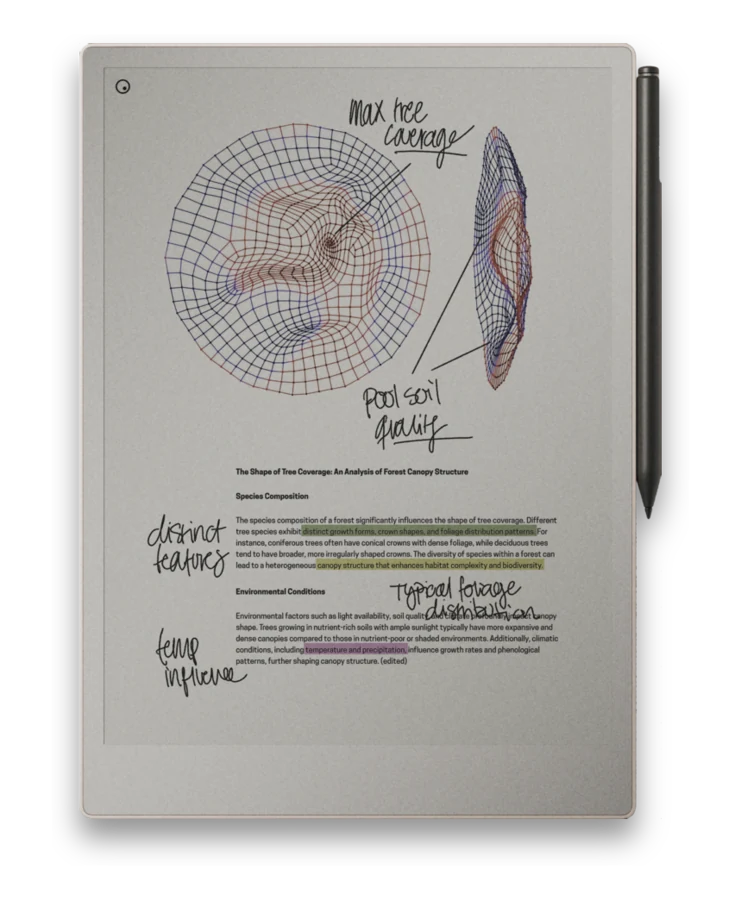
The reMarkable comes with a handful of built-in templates - blank, lined, dotted, a basic planner. They are fine to start with. They also run out of road quickly, and a well-made PDF notebook is how most people fix that.
What the built-in templates miss
- No navigation. The stock pages do not link to each other. Jumping from a monthly view to a specific day, or back to an index, means scrolling through pages by hand.
- They are single pages, not notebooks. A lined template is one page repeated. There is no structure tying a year, a project, or a habit tracker together into something you move around inside.
- Limited layouts. You get the handful of designs reMarkable ships. If you want a specific planner, journal, or subject layout, it is not there.
- Not tuned to handedness. Navigation and toolbars sit where a right-hander expects them, which puts them under a left-hander's writing hand.
What a good PDF notebook adds
A PDF notebook is just a document you load onto the reMarkable and write on, the same way you would mark up any PDF. The difference is that it is designed - built as a complete, navigable book rather than a single repeating page.
- Hyperlinked navigation. Tap a month to open it, tap a day to jump to it, tap a tab to switch sections, tap "back" to return to an index. The whole notebook works like an app you write inside.
- Real structure. Planners, journals, project notebooks, and trackers come as coherent systems with covers, indexes, and linked views - not loose pages you have to organize yourself.
- Laid out for your exact device. Each notebook is sized to the page geometry of a specific model, so nothing is cramped or cut off.
- Left- and right-handed versions. The interactive elements move to the side that keeps them out from under your writing hand.
This is why every notebook here ships in a version for reMarkable 2, Pure, Paper Pro, and Paper Pro Move. A layout built for one screen size does not fit the others cleanly, so we build each one for its device rather than stretching a single file to fit all of them.
How it works on the device
You get a PDF file, move it onto your reMarkable, open it, and write. The handwriting lives on top of the page just like it would on any document. Because the navigation is baked into the PDF as links, tapping a link moves you through the notebook instantly - no menus, no scrolling. Moving the file across is the one step people ask about most, and it is covered in Getting Files onto reMarkable.
Try before you buy
The fastest way to understand the difference is to load one onto your own device. Every notebook on this site includes free samples, and there is a freebies section with full downloads, so you can feel how the navigation and layout behave before spending anything.
Browse notebooks built for the reMarkable
Simple and black-paper notebooks, planners, and journals - hyperlinked, per-device, and in left- and right-handed versions. Start with a free sample and keep the ones that fit how you work.