

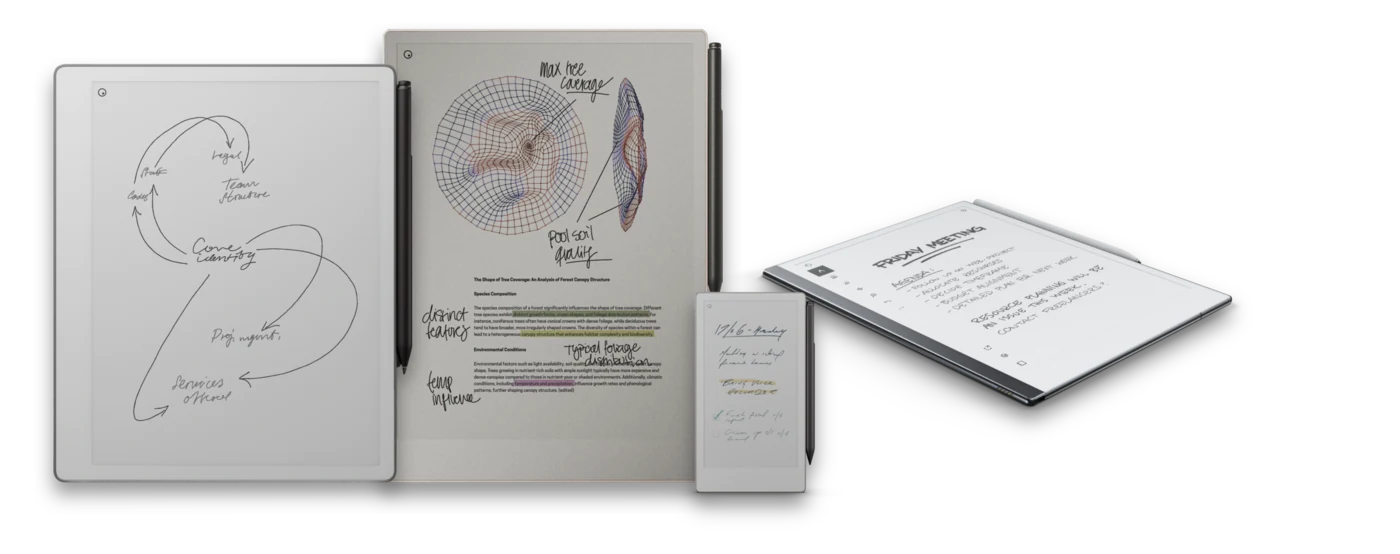
There are four current models, and picking between them really comes down to one question: how much color, light, and portability do you need beyond a good writing surface?
The short answer
- Budget-conscious or just want the classic experience: the reMarkable 2 or reMarkable Pure. Both are black-and-white paper tablets that cover writing and reading well.
- Want color, a front light, and the largest screen: the reMarkable Paper Pro.
- Want maximum portability: the reMarkable Paper Pro Move, the smallest and most pocketable model.
The lineup at a glance
| Model | Screen & feel | Color & light | Best for |
|---|---|---|---|
| reMarkable 2 | 10.3-inch class, black-and-white e-ink | No color, no front light | The reference model most people mean by "a reMarkable" |
| reMarkable Pure | 10.3-inch class, black-and-white e-ink | No color, no front light | The current black-and-white option, same distraction-free feel |
| reMarkable Paper Pro | Largest screen in the lineup | Color e-ink display with a front light | Reading and writing in low light, and anyone who wants color |
| reMarkable Paper Pro Move | Smaller, more portable body | Color e-ink display | Carrying everywhere, closer to a pocket notebook |
Do you need color?
The Paper Pro and Paper Pro Move are the color models. Color helps if you use highlighting systems, color-coded planners, diagrams, or annotate documents that rely on color to convey information. If your notes are mostly text and you just want the writing feel, the black-and-white reMarkable 2 or Pure will not leave you wanting.
Every model is e-ink, including the color ones. None of them are backlit LCD screens, so even the Paper Pro stays matte and paper-like rather than bright and glossy.
Size and portability
The reMarkable 2, Pure, and Paper Pro all sit in the same 10.3-inch class, giving a full page to write and read on. The Paper Pro Move trades some of that page size for a smaller, more portable body built for carrying everywhere rather than sitting on a desk.
The subscription question
None of these models require a paid subscription to be useful - the core device, writing, reading, and loading your own files, works on its own. reMarkable Connect is an optional paid plan layered on top. Before you decide how much that matters to you, see Handwriting to Text on reMarkable and the reMarkable FAQ for what Connect does and does not change.
Whichever you pick, the notebooks fit
Every notebook and planner on this site is built in a version for reMarkable 2, reMarkable Pure, Paper Pro, and Paper Pro Move, so your choice of device does not limit which templates you can use. Free samples let you confirm the fit on your exact model before buying, and Why PDF Notebooks explains what a well-built template adds over the built-in pages.
Notebooks built for every reMarkable
Hyperlinked planners, notebooks, and journals built per device, in left- and right-handed versions, with free samples to confirm the fit first.