

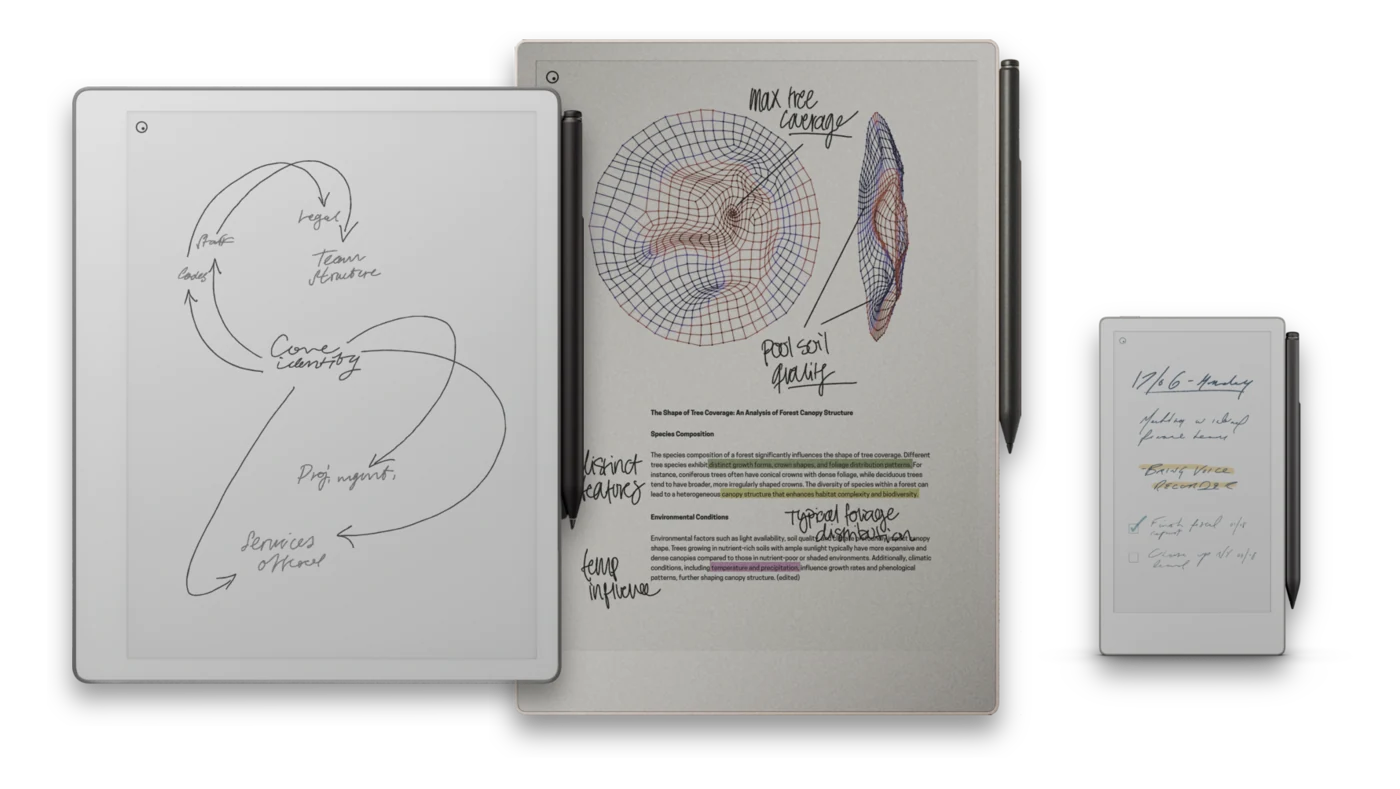
The reMarkable is a paper tablet - a thin, e-ink device built to do the two things a paper notebook does well, writing and reading, and nothing that pulls you away from them.
It is not a small iPad and it is not an e-reader with a stylus bolted on. There is no app store, no web browser, no email client, and no notifications. The whole point is a calm, single-purpose surface: you write with a stylus that feels close to pen on paper, you read documents and books in black and white, and that is it. For a lot of people that constraint is exactly why it works.
What makes it different
- An e-ink screen, not a backlit one. The display reflects light like paper instead of shining it at you. It is easy on the eyes for long sessions and readable in direct sunlight.
- A writing feel close to paper. The textured surface and low-latency stylus give handwriting a physical, slightly-resistant quality that glass tablets do not match.
- Almost no distractions. With no apps or alerts competing for attention, it is a device you pick up to think, not to scroll.
- Long battery life. E-ink only draws power when the screen changes, so the tablet lasts days on a charge rather than hours.
- It reads PDFs and ebooks. Load documents, textbooks, sheet music, or books and mark them up directly. This is where custom notebooks and templates come in.
The current lineup
reMarkable sells a small, focused range rather than a dozen variants. The models you will see referenced across this site are:
| Model | What it is |
|---|---|
| reMarkable 2 | The long-running 10.3-inch black-and-white paper tablet. Still the most widely owned model and the reference point most people mean by "a reMarkable." |
| reMarkable Pure | A black-and-white paper tablet in the same 10.3-inch class, keeping the distraction-free, monochrome experience. |
| reMarkable Paper Pro | The larger, higher-end model with a color e-ink display and a front light, so you can read and write in the dark while keeping the paper-like feel. |
| reMarkable Paper Pro Move | A smaller, more portable version of the Paper Pro built for carrying everywhere - closer to a pocket notebook than a full-size pad. |
Screen sizes matter for templates. A PDF notebook has to be laid out for the exact page geometry of your device, which is why the notebooks on this site come in a version for each model rather than one file for all of them.
Who it is for
The reMarkable suits people who take a lot of notes and want them digital without giving up the feel of paper: students, writers, engineers, lawyers, managers who live in meetings, and anyone who reads and annotates long documents. It is a poor fit if you want a device for video, games, colorful apps, or general web use - that is what a tablet is for, and we cover that trade-off in reMarkable vs. iPad and Tablets.
Where to go next
- See how it compares to a general tablet in reMarkable vs. iPad and Tablets.
- See how it compares to other pen-and-paper tablets in reMarkable vs. E-Ink Rivals.
- Learn why people add PDF notebooks instead of using the built-in templates.