

Hyperlinked navigation. Left- and right-handed layouts. Flexible toolbar placement. Structured sections or free-form indexed pages. You pick. Available for reMarkable 2, Paper Pro, and Paper Pro Move.
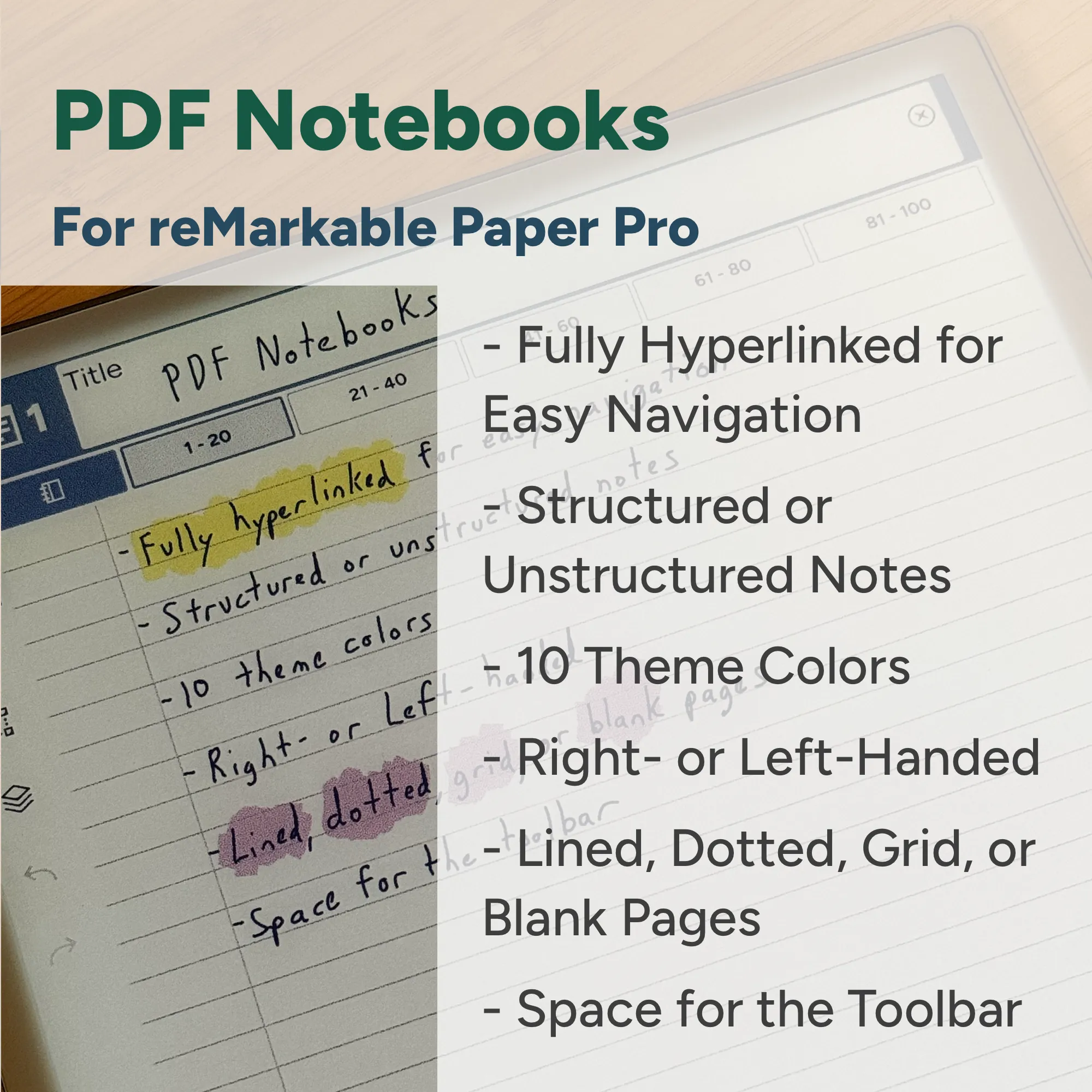
Every section, every page, every table of contents entry is a live hyperlink. Tap it, go there. No scrolling, no hunting.
Left- and right-handed layouts put the navigation exactly where it belongs for how you hold your stylus.
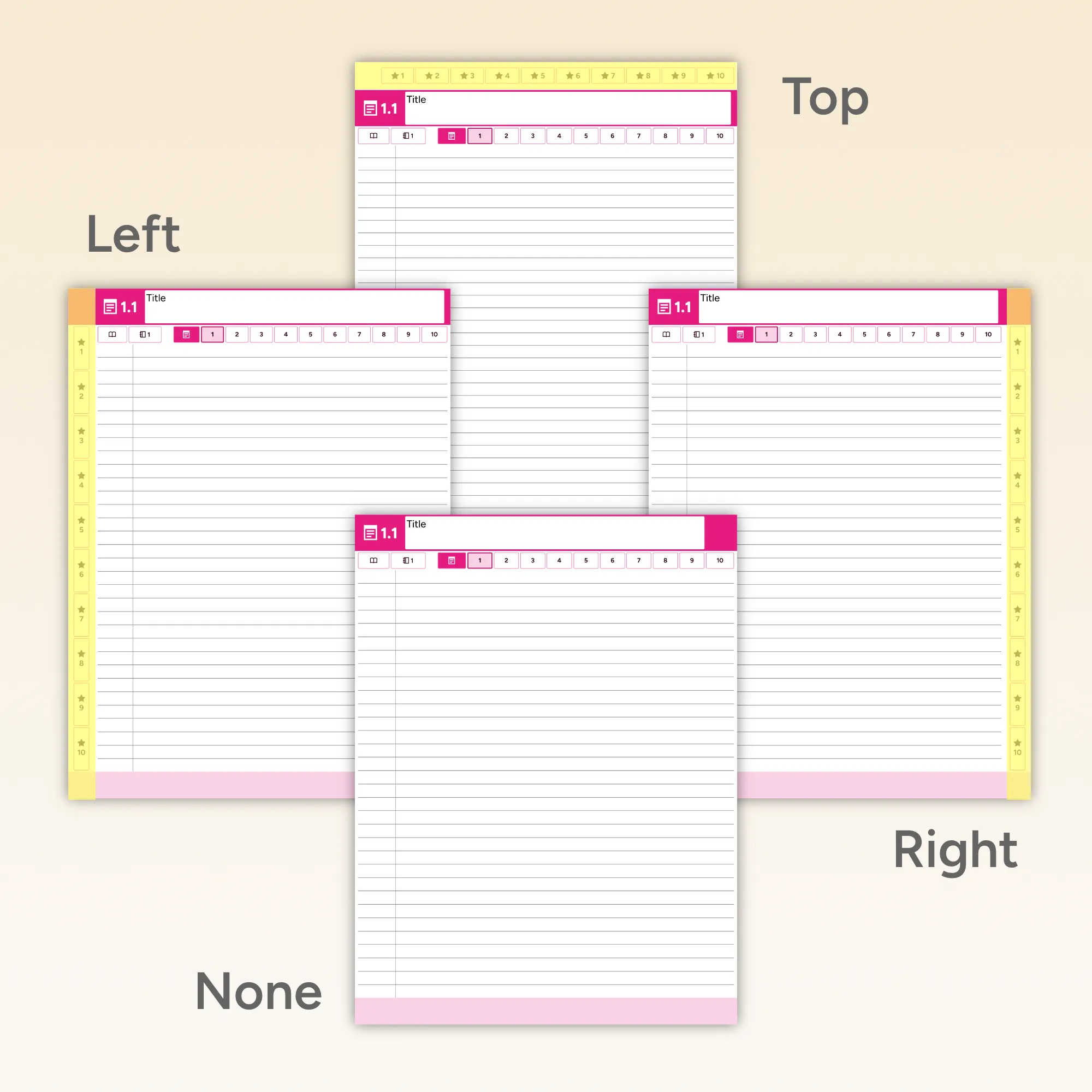
Toolbar on the left, right, top, or tucked away entirely. The notebook fits your workflow, not the other way around.
Some people think in chapters. Others just open a page and figure out the rest later. Both are completely valid, so we built for both.
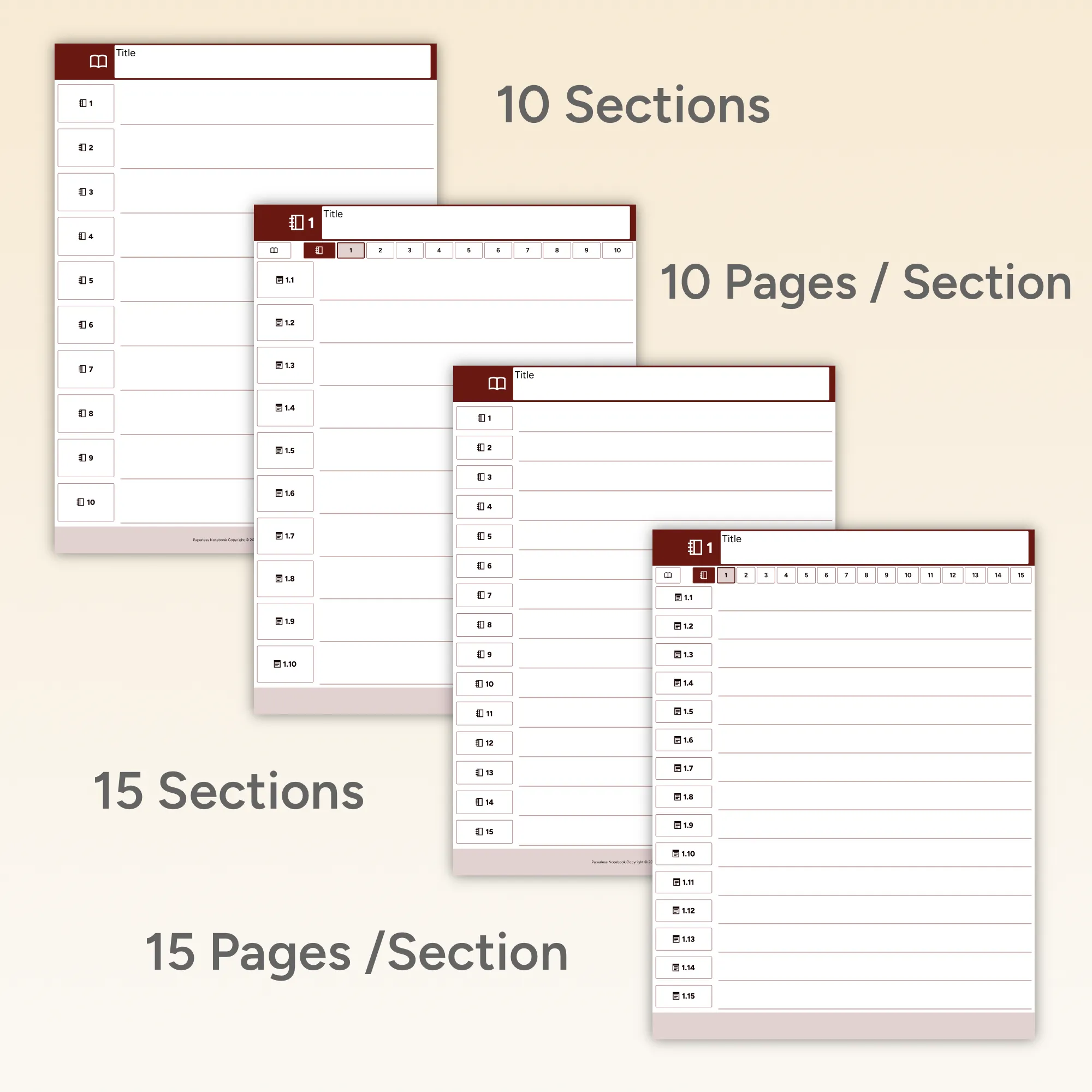
The student who keeps separate sections for each subject. The professional with dedicated space for work, projects, and meetings. These notebooks give you up to 15 sections with up to 15 pages per section. Every section header and every page number in the table of contents is a hyperlink, so jumping anywhere takes one tap.
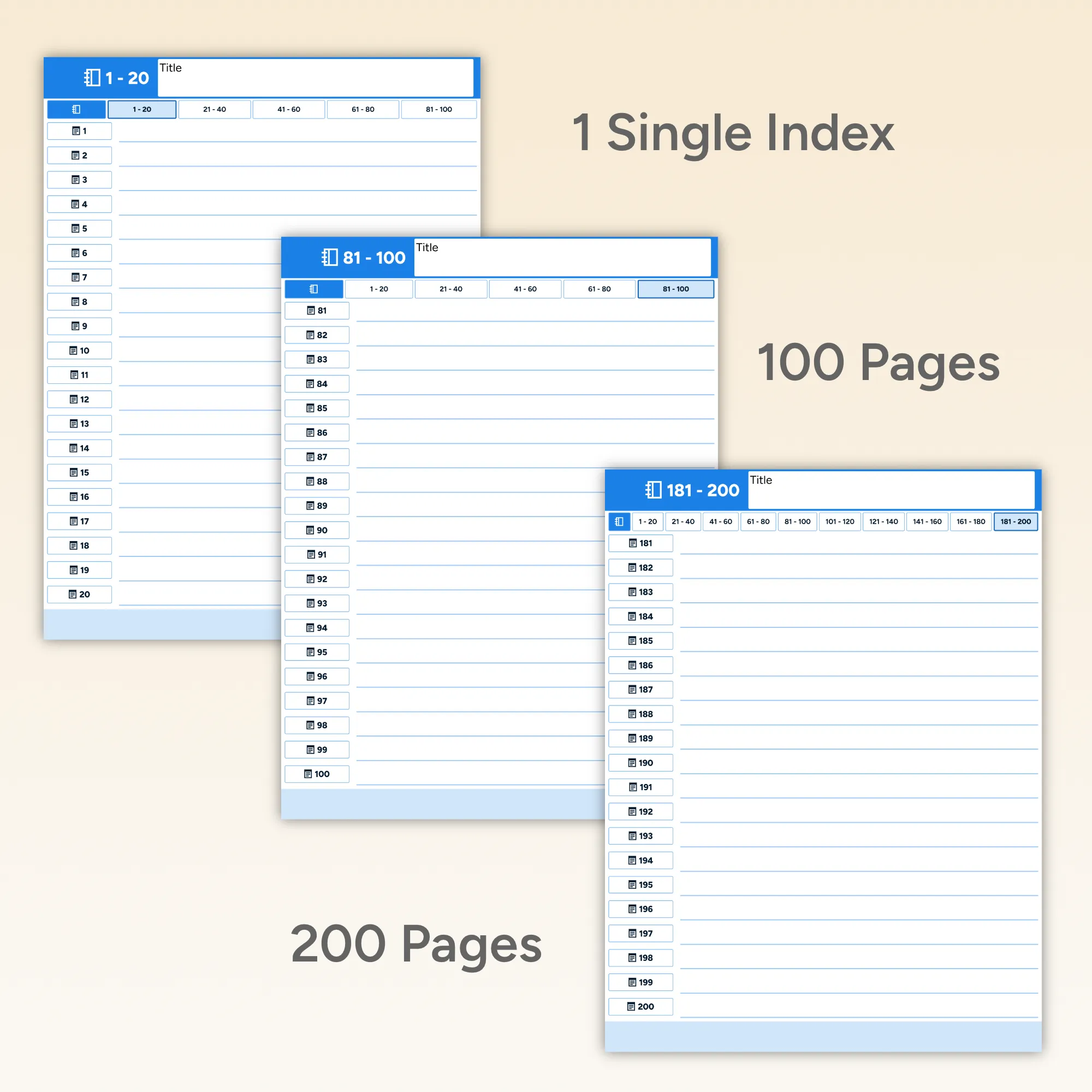
The brainstormer capturing ideas at a coffee shop. The writer collecting fragments. The designer sketching whatever comes to mind. These notebooks skip the sections entirely. Just a single running stack of 100 or 200 indexed pages, with every page number hyperlinked in the index so you can jump anywhere without scrolling.
Most digital notebooks are designed for right-handed people and left-handed users just have to deal with it. We didn't think that was good enough.
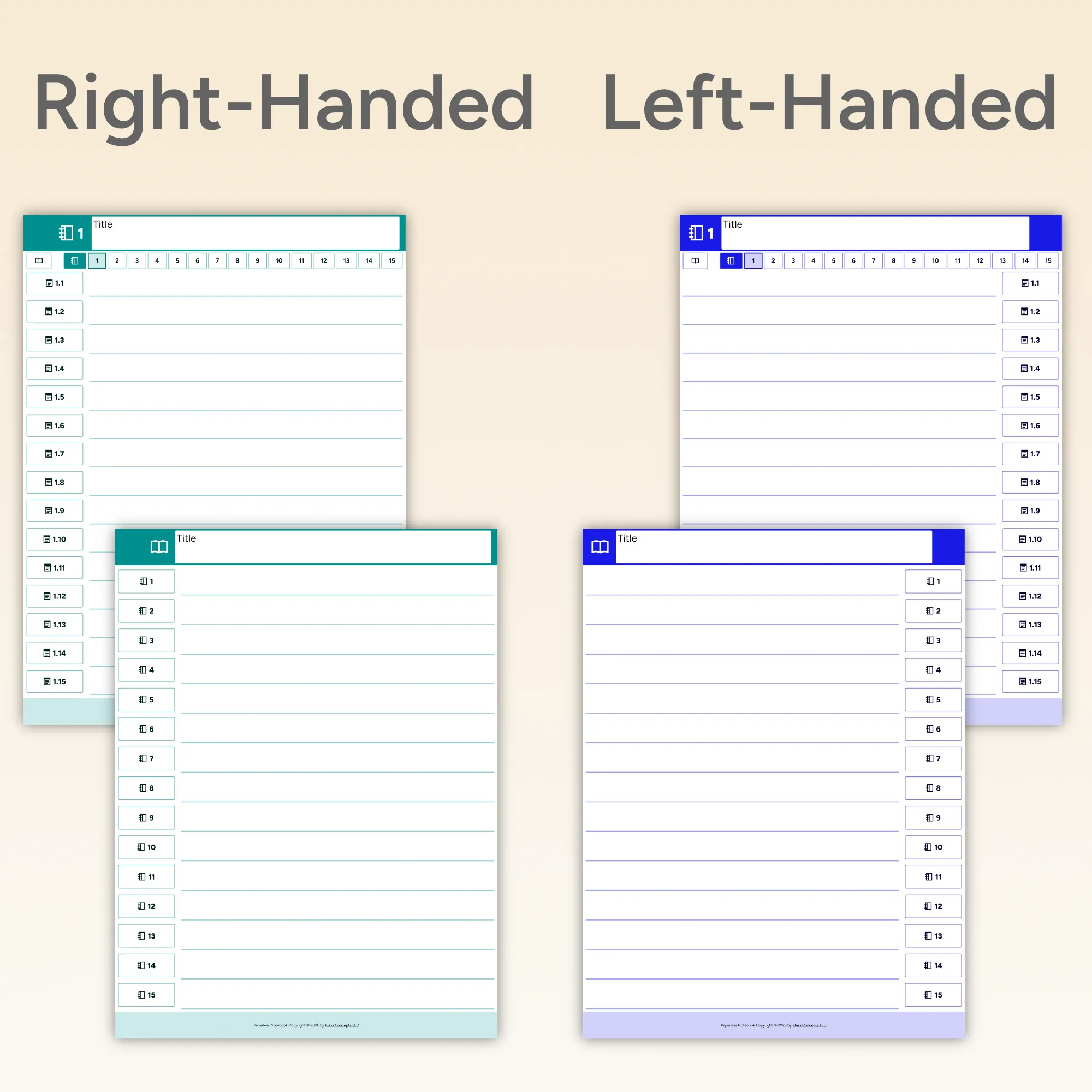
Every notebook comes in both left-handed and right-handed versions. The navigation and hyperlinks are positioned on the opposite side from your writing hand, so you never accidentally tap a link with your wrist mid-sentence. It's a small thing that makes every note feel natural.
Both versions are included with every purchase. Switch any time, or share your download with someone who holds their stylus differently than you do.
The reMarkable is a great writing device. Navigation between pages has never been its strong suit. The built-in notebooks don't link anything. If you want to get to section three, you scroll. These notebooks change that. Every table of contents entry is a live PDF hyperlink. Every section header links back to the contents. Every page number in the index takes you straight there. Tap it, go there. It's the kind of navigation that makes a hundred-page notebook actually usable.
Download free samples. No email required.
Available for all three reMarkable devices. Every purchase includes all styles, both handedness options, all toolbar configurations, and future updates.
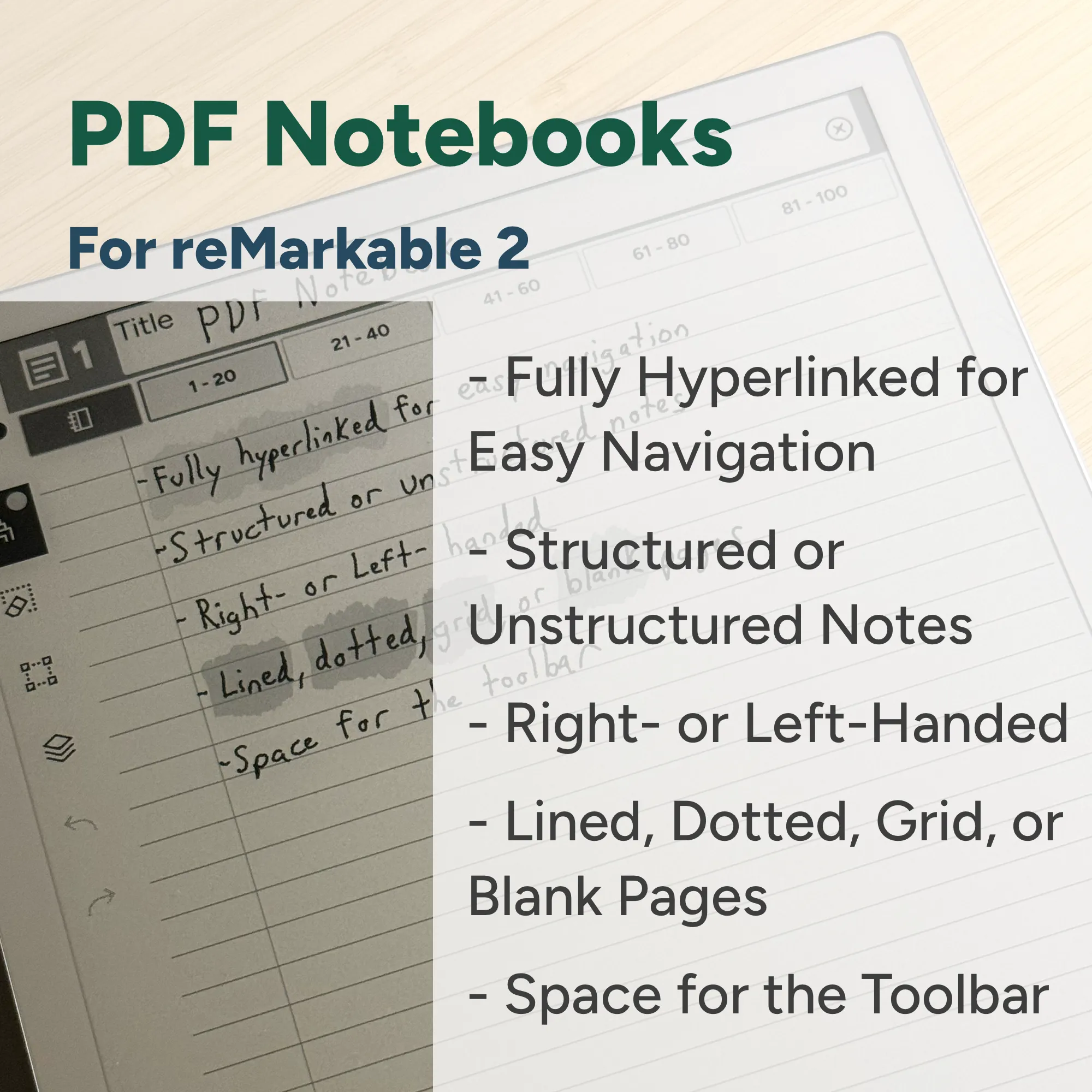
A collection of 96 PDF notebooks for the reMarkable 2. Includes fully-hyperlinked table of contents. Structured with sections, or unstructured with indexed pages. Right- and left-handed variations. Lined, grid, dotted, or blank pages. Space for your open toolbar.
A collection of 960 PDF notebooks for the full-sized Paper Pro. 10 different theme colors. Includes fully-hyperlinked table of contents. Structured with sections, or unstructured with indexed pages. Right- and left-handed variations. Lined, grid, dotted, or blank pages. Space for your open toolbar.
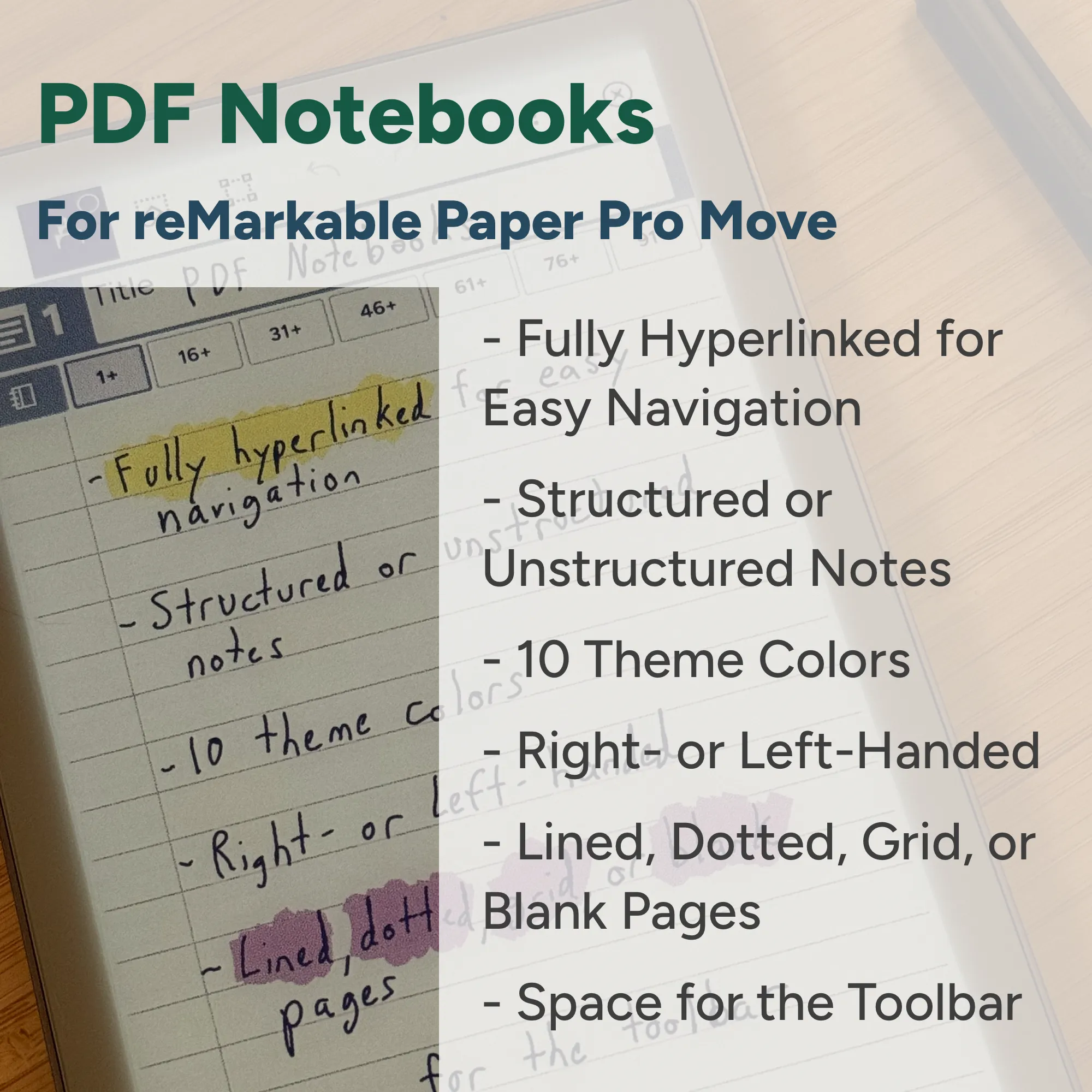
A collection of 960 PDF notebooks for the Paper Pro Move. 10 different theme colors. Includes fully-hyperlinked table of contents. Structured with sections, or unstructured with indexed pages. Right- and left-handed variations. Lined, grid, dotted, or blank pages. Space for your open toolbar.
No. Every purchase includes both. You get all structured notebooks (various section and page counts) and all free-form notebooks (100 and 200 indexed page options). Use whichever fits what you're doing that day.
The table of contents and navigation hyperlinks are positioned on the right side of the page, keeping them away from your writing hand. Right-handed notebooks place the navigation on the left side. The idea is to prevent accidental link taps while you're mid-sentence.
Every purchase includes notebooks with no toolbar space, so you get the full writing area. You're not locked into one layout.
Yes. Scroll up to the free samples section and download a notebook for your device. No email required.
Buy for the device you own. reMarkable 2 notebooks are sized for that screen. Paper Pro and Paper Pro Move have a larger display and their notebooks come in 10 theme colors, which is why they have more file options.